Pre-built NAS: easy, efficient, pricey per bay
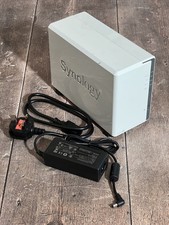
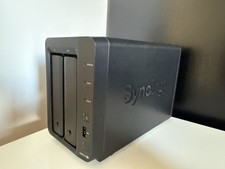
A Synology or QNAP is set up in an hour: drop in the disks, click through DSM/QTS, done. You get a mature OS with an app store, mobile apps, snapshots and solid support – ideal if the NAS should just run and you don't want to deal with updates or drivers. Idle power on a 2–4 bay unit is typically 15–30 W (with the drives spinning). The catch: you pay a lot more per bay, the CPUs are weak (transcoding and VMs are often painful), and a fixed bay count boxes you in when you want to expand.
Self-build: flexible, powerful, cheaper per TB
TrueNAS SCALE or Unraid on your own hardware gives you full control: as many disks as you like, real CPU horsepower for Docker/VMs/transcoding, and ZFS with snapshots and self-healing. For a low-power setup, a mini-PC or ITX board in the Intel N100 class is plenty – pre-built units often ship with two bays, while suitable ITX boards offer up to six SATA ports. If you want more disks and throughput, grab a used tower or rack server (Dell PowerEdge, HP ProLiant). Cost per terabyte is far lower, especially with used enterprise drives. The trade-off: more setup work, you're your own support desk, and a server pulls 40–80 W or more depending on the platform.
HBA in IT mode: a must for ZFS on a server
Once you hang more disks off a server, you need ports. The clean path for ZFS is an HBA in IT mode (e.g. LSI 9211-8i or 9300-8i) that passes the disks straight through to the OS – no hardware RAID in between, because ZFS wants to see the disks directly. Avoid RAID controllers in IR mode; they only cause grief with ZFS. A used 9211-8i is cheap and gives you eight ports (2× SFF-8087) for up to eight disks; for more ports there's the 9300 series or a SAS expander. When buying, make sure it has the right firmware (IT mode, e.g. P20).
ECC RAM: recommended, especially for ZFS
ECC memory catches bit errors before they silently work their way into your data. For a 24/7 server running ZFS it's the right call – used DDR4 Registered ECC (RDIMM) is often dirt cheap on the used market. Note: RDIMM only fits real server platforms whose board and CPU support it; mini-PCs and desktop boards use UDIMM (with or without ECC) – and you can't mix RDIMM with UDIMM. ZFS technically runs without ECC, but for important data in continuous operation, ECC is the small insurance policy that pays off.
Always buy the drives separately
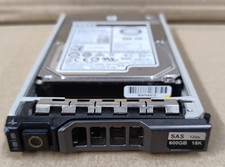
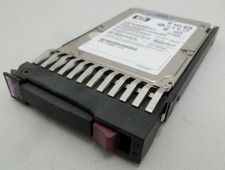
Whether pre-built or self-build, buy the hard drives on their own, never bundled. A diskless NAS plus separately sourced drives is almost always cheaper, and used SAS or enterprise SATA drives deliver huge capacity per euro. With used drives, check the SMART data right after install (power-on hours, reallocated sectors) and run everything in RAID-Z/mirror with a real backup – a pool is not a backup.