Direct Play vs. Transcoding
Direct Play means the server sends the file unchanged to the client, which decodes it itself – costing almost no CPU. Transcoding re-encodes the video on the fly (format, resolution, bitrate), for example when an old smart TV can't handle HEVC or your upload speed is too low for 4K. If all your clients can Direct Play, you barely need any compute; the moment several users transcode at once, hardware transcoding becomes mandatory. So plan realistically: how many parallel streams and which sources (1080p, 4K HDR) do you actually need? Bear in mind a single 4K HDR stream that has to be tone-mapped for an SDR TV is far more demanding than five plain 1080p transcodes.
Intel QuickSync: the efficient option
For most homelabs a mini PC with an Intel iGPU and QuickSync is the best pick: low power, quiet, cheap. From the 8th Core generation (Coffee Lake) onward, H.265/HEVC transcoding including 10-bit runs cleanly; the N100/N305 chips add AV1 decoding on top (AV1 encoding only arrives with Intel Arc and newer). A used Intel NUC or an N100 mini PC handles roughly five parallel 1080p transcodes in practice at just ~10-20 W. Note: Plex requires a Plex Pass subscription for hardware transcoding, whereas Jellyfin does it for free. Hardware tone mapping for 4K HDR, by the way, is most reliable on Linux – on Windows it tends to fall back to the CPU.
Nvidia P2000 / Tesla P4 for many streams
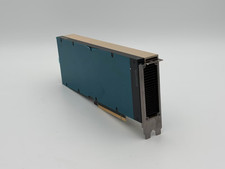
If you need to transcode a dozen-plus streams simultaneously, a dedicated Nvidia card is the more robust solution. The Quadro P2000 has no NVENC session limit (consumer GeForce cards, by contrast, are capped at a few simultaneous encodes) and easily handles 15-20 parallel 1080p transcodes. The Tesla P4 is even more efficient (max 75 W, single slot, usually no external power connector) but is passively cooled, so it absolutely needs active airflow inside the case – it will overheat in an airless desktop tower. Both are cheap on the used market – though for a pure QuickSync mini PC they're overkill and just waste power.
Storage: large HDDs, an SSD for the system
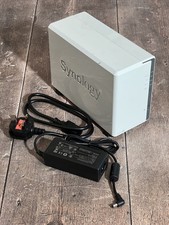
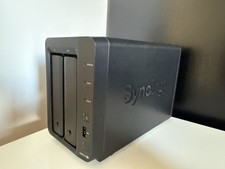
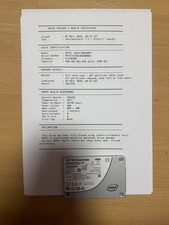
Media eats space: plan generously with large HDDs (e.g. 12-20 TB enterprise/NAS drives), ideally in a RAID or ZFS pool with redundancy. For the operating system, the Plex/Jellyfin database and especially the metadata/thumbnails, put a separate SSD in the system – it keeps the UI snappy and spares your archive drives. If you build on a NAS (Synology/QNAP), watch the CPU: older ARM-based NAS units can't transcode at all or only slowly; models with an Intel CPU and QuickSync have a clear edge here. A self-build with Unraid or TrueNAS plus a QuickSync motherboard is often the more flexible combination.
Power draw in 24/7 operation
A media server runs around the clock – the consumption adds up. At ~0.30 EUR/kWh, every continuous watt costs about 2.60 EUR per year. So an N100 mini PC at 10-15 W costs under 40 EUR of electricity a year, while an old rackserver at 150 W quickly exceeds 350 EUR. That's why QuickSync is almost always more economical for a pure media server than a beefy server – unless you need that machine for other VMs anyway. Spinning HDDs down saves more, but depending on access patterns and background scans they can be hard to keep parked; with lots of small accesses they keep spinning back up.