Why exactly 3 nodes?
For automatic failover (HA), a Proxmox cluster needs quorum, meaning a majority of votes. With two nodes, losing one removes the majority and the cluster locks itself (split-brain protection). Three nodes fix this: if one dies, the remaining two still hold the majority and can restart HA VMs automatically. That is exactly why you want an odd number – it is cheaper than a separate QDevice witness and cleaner to run.
Nodes: identical mini-PCs, not loud iron
For a 24/7 homelab in a living space, three near-identical mini-PCs are the best pick: quiet, frugal (often 6–15 W idle) and consistent to manage. The Intel N100/N305 class handles Docker, the *arr stack, Pi-hole and a few light VMs; for more parallel VMs or live migration, go for used i5/i7 mini-PCs from the 8th–10th gen (Dell OptiPlex Micro, Lenovo ThinkCentre Tiny, HP EliteDesk Mini). Crucially, matching CPU generations across nodes spare you the trouble of incompatible CPU flags during live migration – with identical hardware you can run the fast "host" CPU type. Budget at least 16 GB RAM per node, ideally 32 GB.
RAM: ECC if you can, otherwise plenty
ECC RAM catches bit errors and is strongly recommended on 24/7 servers running ZFS or Ceph – not strictly mandatory, but if you are after data integrity you want it consistently. The catch: typical mini-PCs (N100, OptiPlex Micro) usually don't support ECC. If you want ECC, build the nodes on small server/workstation boards or used Xeon-D/Supermicro systems and populate them with DDR4 ECC modules. Plan 32 GB per node when several VMs plus Ceph are running – Ceph alone wants headroom. A 3-node cluster without ECC is still perfectly usable; you simply give up the extra error correction.
Storage: local replication vs. Ceph
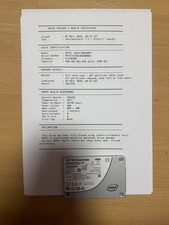
There are two routes to HA storage. Simple and robust: local ZFS on each node plus Proxmox storage replication (pvesr) – VM data is mirrored to the other nodes as often as every minute (the smallest interval is 1 minute), so a failure only costs you the minutes since the last sync. Fully synchronous and self-healing: Ceph across all three nodes, giving you shared storage and live migration with no data copy. Ceph, however, demands good SSDs and a fast network. Either way, use enterprise SSDs with power-loss protection (e.g. Samsung PM883/PM9A3, Intel S4510) – consumer QLC drives collapse on latency under ZFS/Ceph load and wear out fast.
Network: 2.5GbE is enough, 10GbE for Ceph
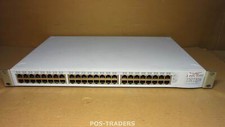
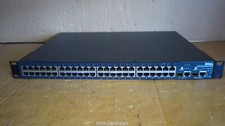
The cluster network (Corosync) needs low latency above all, not much bandwidth – a dedicated link for it is ideal. For local ZFS replication, 2.5GbE is comfortably enough; many mini-PCs have it onboard or you can add it via a USB NIC or M.2 adapter. Once you run Ceph, you want 10GbE for the storage network or latency becomes the bottleneck: used Intel X520/X710 (SFP+) or X550 (10GBASE-T) cards are cheap and trouble-free under Linux. Pair them with a used switch that has a few SFP+ ports; for a pure 3-node setup you can even run a direct full-mesh without a 10GbE switch.