NVIDIA Tesla P40 vs NVIDIA Tesla P4
Both are passive Pascal datacenter GPUs with no display output – in a homelab they go into a server for AI inference or transcoding. The Tesla P40 packs 24 GB of VRAM for local LLMs, but draws ~250 W and takes up two slots as a full-height dual-slot card. The Tesla P4 is extremely frugal and compact at 8 GB, ~75 W and single-slot low-profile – ideal for transcoding and light inference. In short: P40 for VRAM, P4 for low power.
NVIDIA Tesla P40
- +24 GB GDDR5 – enough VRAM for local LLM inference and larger models
- +Considerably more compute than the P4 (roughly double the FP32 throughput, strong INT8 inference)
- +Often the cheapest option per GB of VRAM on eBay
- +Standard full-height add-in card – fits most tower and rack servers
- −~250 W draw – noticeable on the power bill in 24/7 use
- −Passive and full-height dual-slot: needs strong airflow and occupies two slots
- −Powered via an EPS/CPU 8-pin connector (not PCIe) – often needs an adapter
NVIDIA Tesla P4
- +~75 W – very frugal, ideal for always-on operation
- +Single-slot low-profile: fits compact servers and tight cases
- +Needs no extra power connector – runs off the PCIe slot alone
- +Plenty for Plex/Jellyfin transcoding and light inference
- +Low heat output, easier to cool than the P40
- −Only 8 GB GDDR5 – too little for larger LLMs
- −Clearly less compute than the P40
Verdict
Get the Tesla P40 if you want to run local LLMs and need the 24 GB of VRAM – power draw and cooling are the trade-off. Get the Tesla P4 if transcoding and a frugal, compact always-on box matter most and 8 GB is enough. Want both? Pair a P4 for transcoding with a P40 for AI.
NVIDIA Tesla P40
No current listings.
NVIDIA Tesla P4
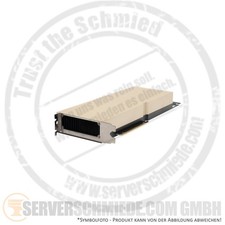
HP nVidia Tesla A16 64GB GDDR6 Computing Grafikkarte 4x GPU PCIe x16 4.0 P48409-
Frequently asked questions
Tesla P40 or P4 for local LLMs?
The P40, clearly. Its 24 GB of VRAM fits much larger models in memory, whereas the P4's 8 GB runs out fast. For pure transcoding or very small models the P4 is enough.
Do these cards need extra cooling?
Yes – both are passive with no onboard fan and rely on a server chassis's airflow. In a regular desktop you'll need a DIY fan solution (often 3D-printed shrouds).
Can I use these cards for display output?
No. Neither has a display output; they are pure compute/transcoding accelerators. For video output you need a separate GPU or the CPU's iGPU.