Enterprise SATA-SSD vs Enterprise NVMe/U.2-SSD
Enterprise SATA SSDs and NVMe/U.2 SSDs solve different problems in a homelab. SATA is plenty as an HDD replacement, boot drive, or NAS storage, and it drops into any existing backplane. NVMe/U.2 earns its place wherever throughput and latency matter: VM storage, databases, or a ZFS cache. Which side fits comes down to your workload and your server, not just your budget.
Enterprise SATA-SSD
- +Fits any SATA/SAS backplane – no adapters or free PCIe/U.2 port needed
- +Lowest cost per TB, ideal for large, affordable capacity
- +More than enough for NAS, HDD replacement, and boot drives
- +~550 MB/s easily saturates a gigabit link
- −Throughput capped at ~550 MB/s by the SATA interface
- −Higher latency than NVMe – noticeable under many parallel VMs
- −No edge for database- or cache-heavy workloads
Enterprise NVMe/U.2-SSD
- +6-10x the throughput of SATA
- +Very low latency – ideal for VM storage, databases, ZFS cache
- +Scales far better under many concurrent accesses
- +Enterprise models offer high write endurance (DWPD) for sustained load
- −Needs a U.2 port or PCIe adapter – not every server has one
- −Higher cost per TB than SATA
- −More effort to install and cool
Verdict
For NAS, backup storage, HDD replacement, or a boot drive, the enterprise SATA SSD is the right call: cheap, compatible, and fast enough. Reach for NVMe/U.2 when latency and throughput carry the setup – VM datastores, databases, or a ZFS cache – and your server has a U.2 port or a free PCIe slot. Plenty of homelabs run both: SATA for capacity, NVMe/U.2 for the hot data.
Enterprise SATA-SSD

DELL Samsung 240GB 2.5" 6G SATA SSD MZ-7KM240A/B +Caddy for R720 R730
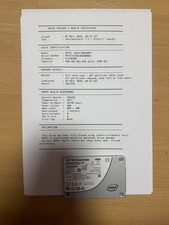
Intel SSD D3-S4510 480GB SATA 2.5" Enterprise SSD (SSDSC2KB480G7)

Intel SSDSC2KF512G8 512GB SATA 6Gb/s 2.5" Enterprise SSD
Enterprise NVMe/U.2-SSD

Dell MZ-WLL1T6C Enterprise SSD 1.6TB NVME PCIe U.2 2.5'' 4WDXY

Intel 1.6TB NVMe PCIe SSD 2.5" U.2 DC P4600 Series SSDPE2KE016T701 Enterprise
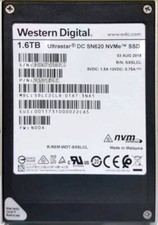
Western Digital Enterprise NVMe SSD: DC SN620, 1.6TB, PCIe3x4, U.2
Frequently asked questions
Do I need special hardware for a U.2 SSD?
Yes. Either a U.2 port on the backplane or motherboard, or a PCIe adapter (M.2/U.2 card) in a free PCIe slot. SATA SSDs, by contrast, fit any existing SATA/SAS backplane.
Is NVMe/U.2 worth it for a plain NAS?
Usually not. For a classic NAS, backups, and HDD replacement, a SATA SSD already saturates the network link. NVMe/U.2 only pays off with VM storage, databases, or as a ZFS cache.
Why buy used enterprise SSDs instead of consumer drives?
Enterprise SSDs are built for sustained load and offer high write endurance (DWPD). On the used market you often get more TB and durability per euro – just check the remaining write life (SMART) before buying.